100 generations/month
Create without worrying about every run

racisa designs slide structure from your intent, preserves all generated content, and outputs high-density materials ready for real work.
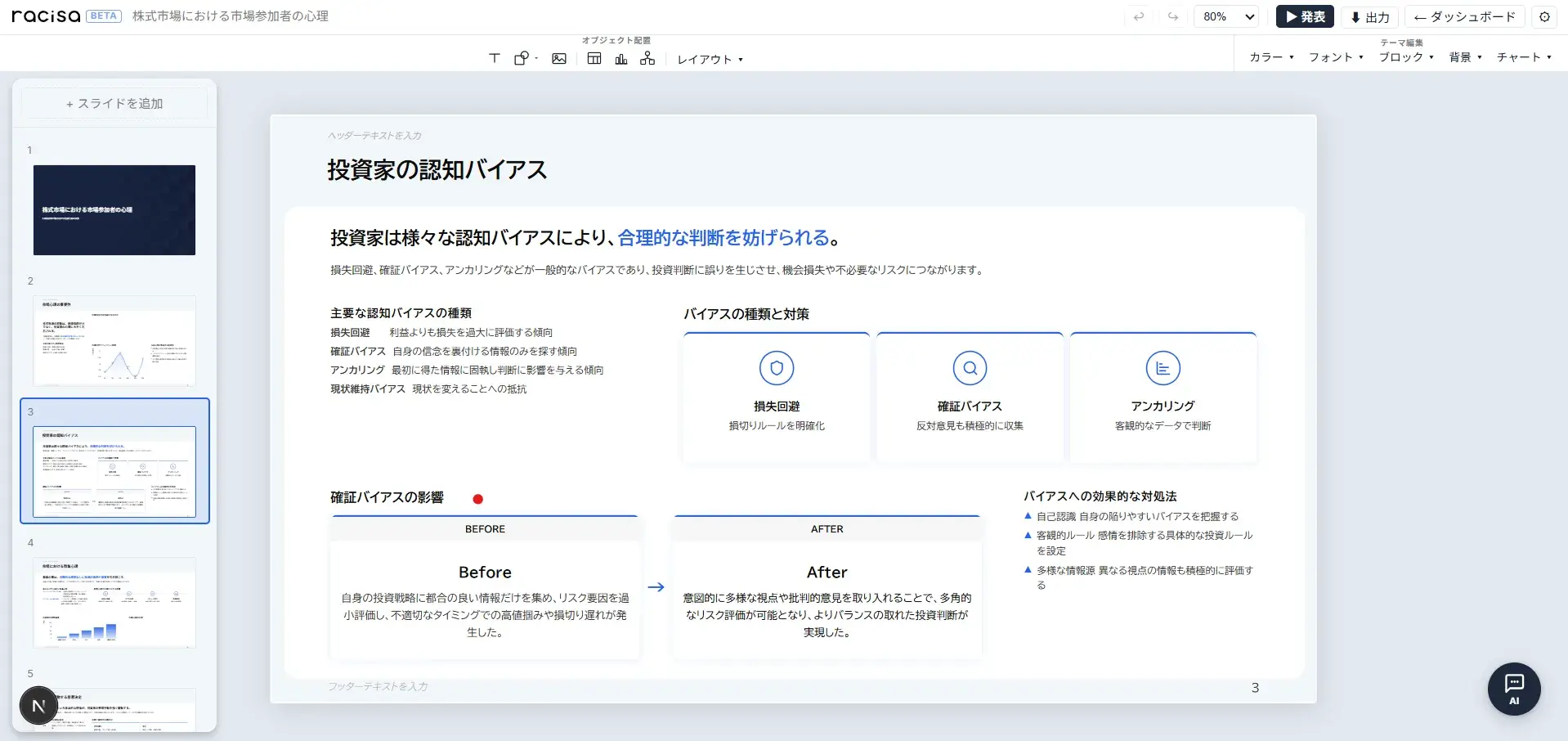
Create without worrying about every run
Core features included in one plan
Comparison, diagnosis, and priority patterns
One change updates every slide at once
If AI is meant to save time, you should not have to worry about every generation. racisa is designed to control AI costs while keeping high-quality slide creation accessible.
racisa designs slide sequence, structure, and density from the purpose and context of your deck. It avoids generic cards by selecting patterns for comparison, diagnosis, ranked priorities, and KPIs.
Generic cards filled with short bullets
Structured layout matched to the meaning of the content
Points, numbers, comparison axes, annotations, and actions are never dropped or summarized. Content is preserved as editable blocks that you can revise directly.
Font, color, and heading style are managed by role. Changing the theme updates the same role across every slide at once.
Font, color, and background are managed together as a theme. Switch backgrounds in one click. Custom uploaded backgrounds are supported too.
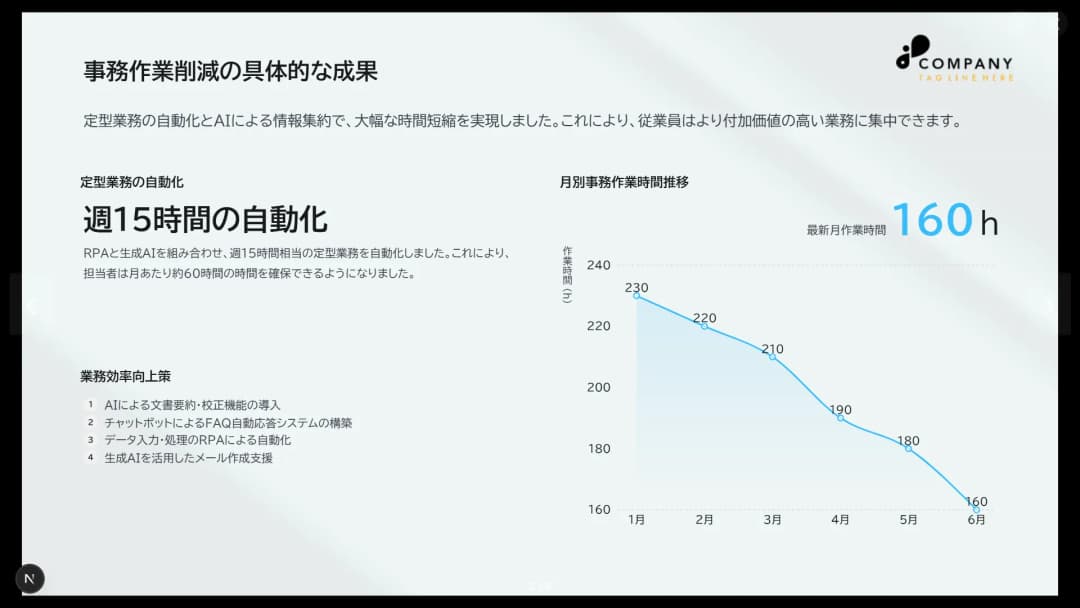
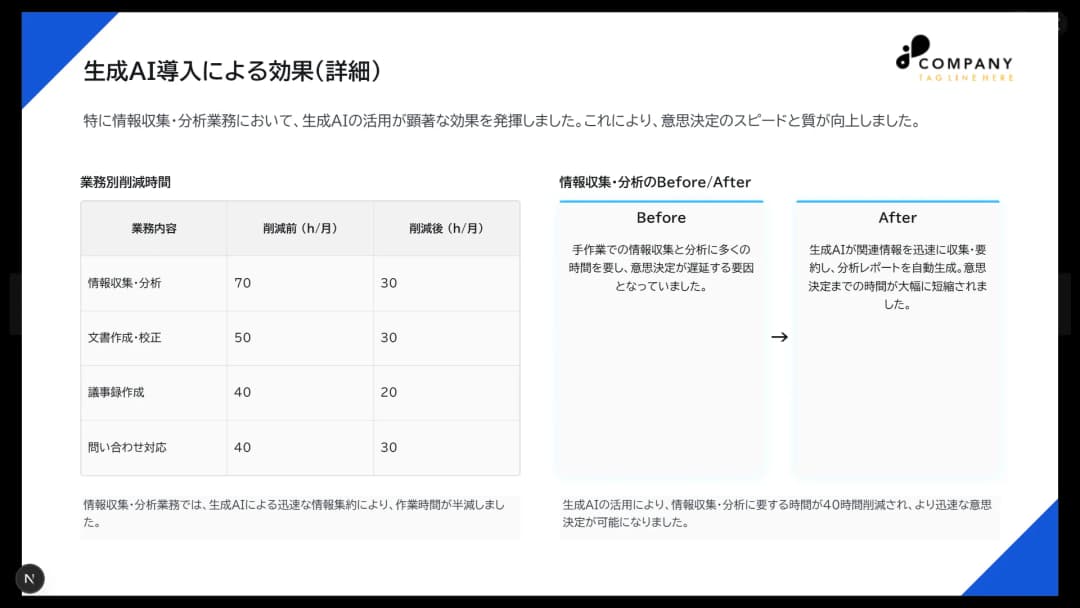
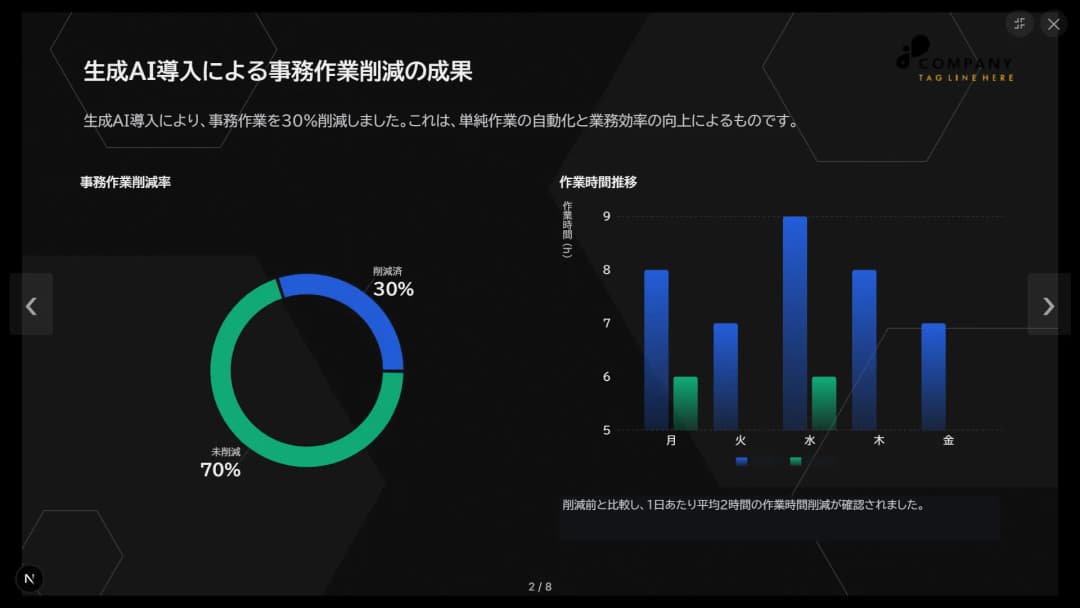


Upload an image and apply it to your deck
Slide sequence, structure, and density are designed from the purpose and context of the deck. Patterns are selected for real work — comparison, diagnosis, ranked priorities — not generic layouts.
Points, numbers, comparison axes, and notes are preserved as editable blocks. Text, tables, and charts can be edited directly on the canvas.
Font, color, and heading style are managed by role. A single theme change updates the same role across every slide at once.
Operating policies and support routes are public
Next.js / Supabase / GeminiDeck data is managed securely
Encryption and access protection in placeQuestions are handled through support channels
X DM / contact formFeatures and quality are improved over time
Built with user feedbackThe power of information editing, in slide form.
For details on pricing, features, and data handling, see ourFAQ.